01
Four scores. One clear view.
Review performance, accessibility, best practices and SEO together, with color-coded results that make changes easier to spot.
Track performance, accessibility, SEO and best-practice scores over time. Turn a slow page into a clear list of improvements.
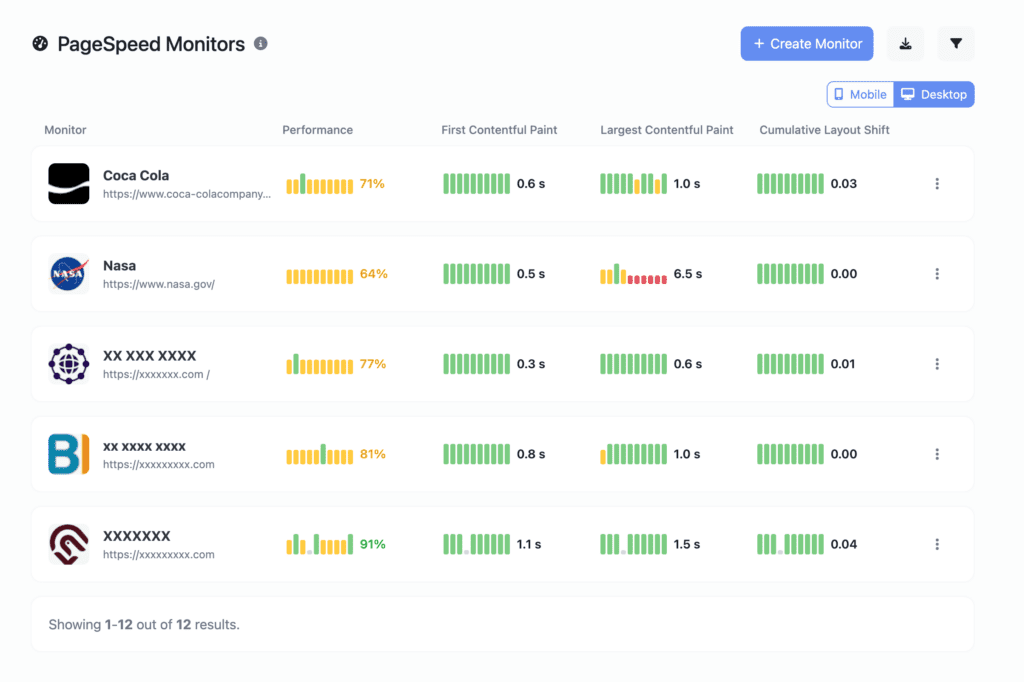
Review performance, accessibility, best practices and SEO together, with color-coded results that make changes easier to spot.
Compare historical runs and timestamps to see when a score changed. Use the results to guide your next investigation.
Review loading metrics and layout shifts, compare before-and-after results, and bring evidence to client reporting.
Choose reachable URLs and review mobile and desktop results in their proper context. Performance measurements can vary between runs.
Start with a homepage, important listing or product page.
Review loading metrics and the performance, accessibility, best-practice and SEO results.
Look at historical runs around a release and inspect the findings before assigning a cause.
It tracks performance, accessibility, best-practice and SEO results, with loading metrics and historical runs to help you review changes over time.
Performance measurements depend on the test context and the page resources served during a run. Compare like-for-like pages and device contexts, and inspect the underlying metrics rather than relying only on the headline score.
No. A score is a diagnostic signal. Use the findings to investigate loading behavior and technical issues, then verify changes against the page and the experience you intend to improve.
Review plan information and your account for the current allowances, intervals and notification options available to you.
Monitoring, visitor analytics and domain health in one workspace. Start free on Explorer.
Get started free ↗