All-in-OneWebsite Intelligence Platform

Your website, understood.

Monitor uptime, performance and domain health. See how visitors find and use your site. Ask for AI-assisted explanations when something needs a closer look, all from one workspace.

Free Explorer planUptime checks need no installPaid plans from $5.99/month
example.comLast 7 daysOverview
Availability99.98%Uptime · all up
Performance248 msAvg response · PageSpeed 94
Domain & SSL23 daysSSL renewal due
Visitors
12,846+12% vs previous week
Signup goal3.1%Conversion · 398 signups
AI
Traffic insight · run on requestVisits rose 12% on the previous week, mostly search traffic to /pricing. Signup conversions held at 3.1%, so the extra visitors converted at your usual rate.
The platform

Five connected areas. One workspace.

Start with uptime monitoring, then add the signals you need. Monitoring, analytics and audits share one Bryzora account, with the same alert channels and status pages.

01 · Availability

Know when something is down

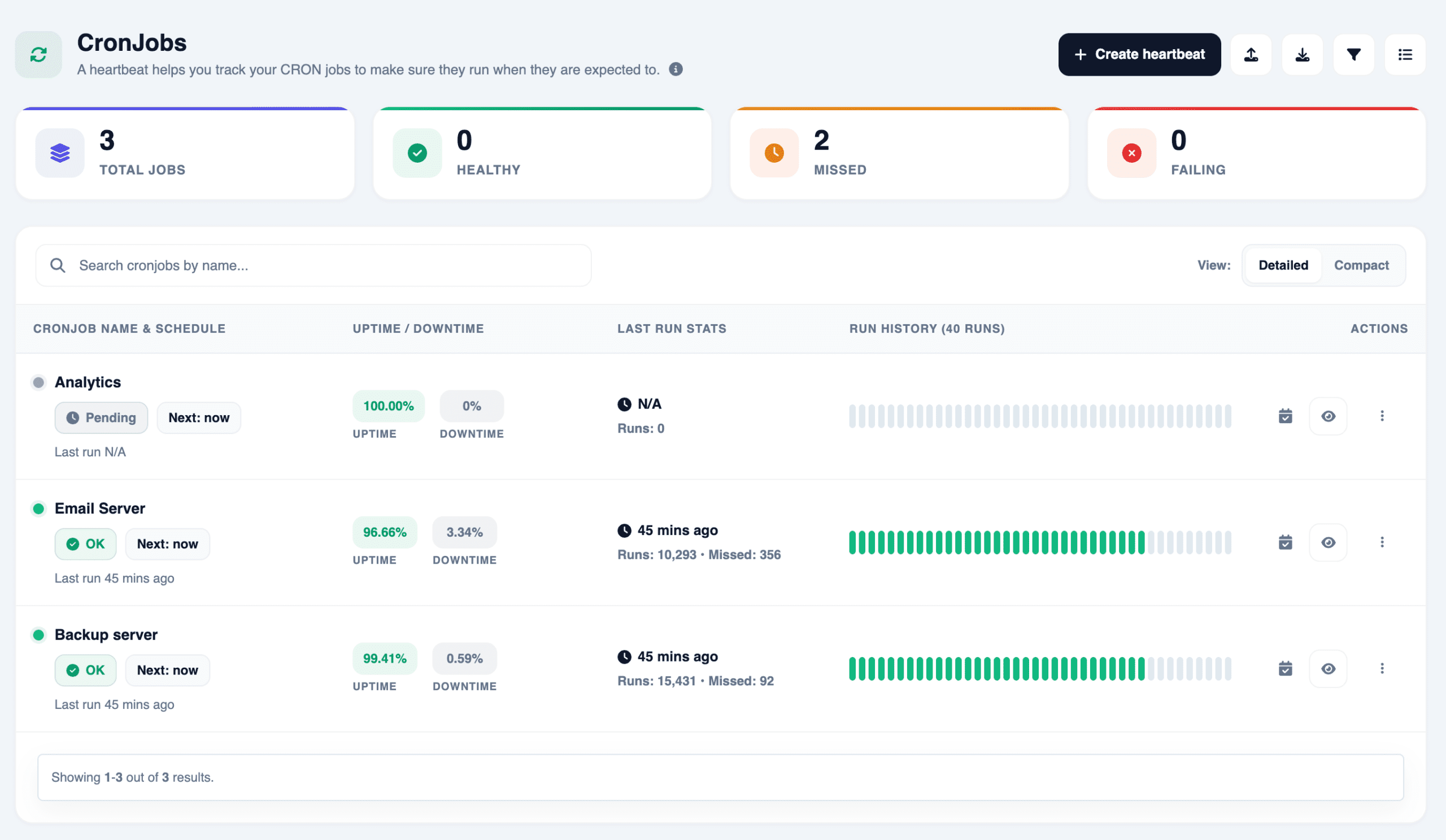
Website and API checks from multiple locations, incident history, cron job heartbeats, and public or private status pages.

Virginia96 ms
Frankfurt182 ms
Sydney241 ms
Singapore614 ms
IncidentsCron heartbeatsStatus pagesAlerts
Website monitoring →
02 · Visitors

Understand how people use it

Privacy-focused analytics with sources, goals, heatmaps and session replays.

Search35%
Direct48%
Referral17%
Signup goal · conversion3.1%
HeatmapsSession replaysGoals
Website analytics →
03 · Performance

See what feels slow

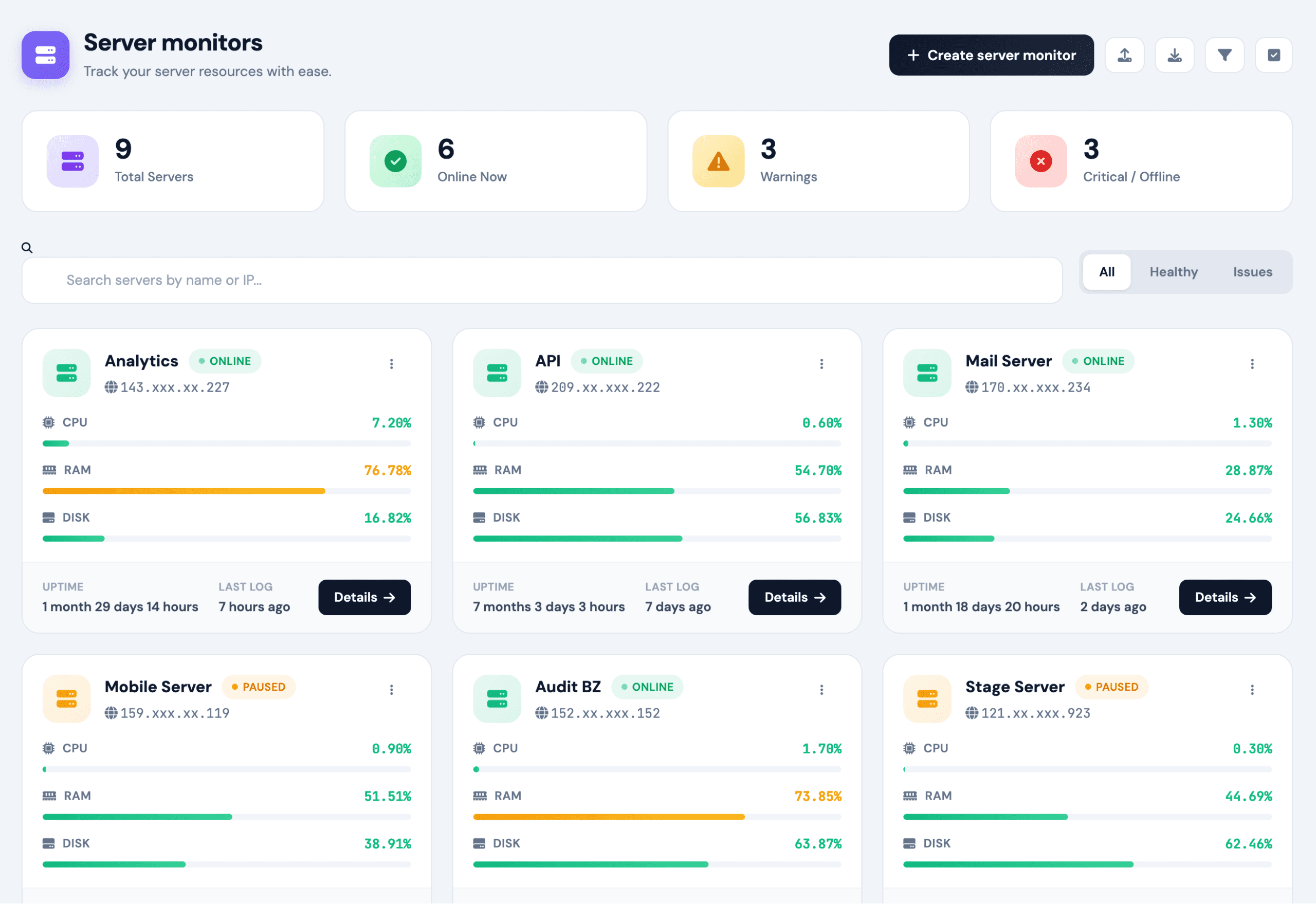
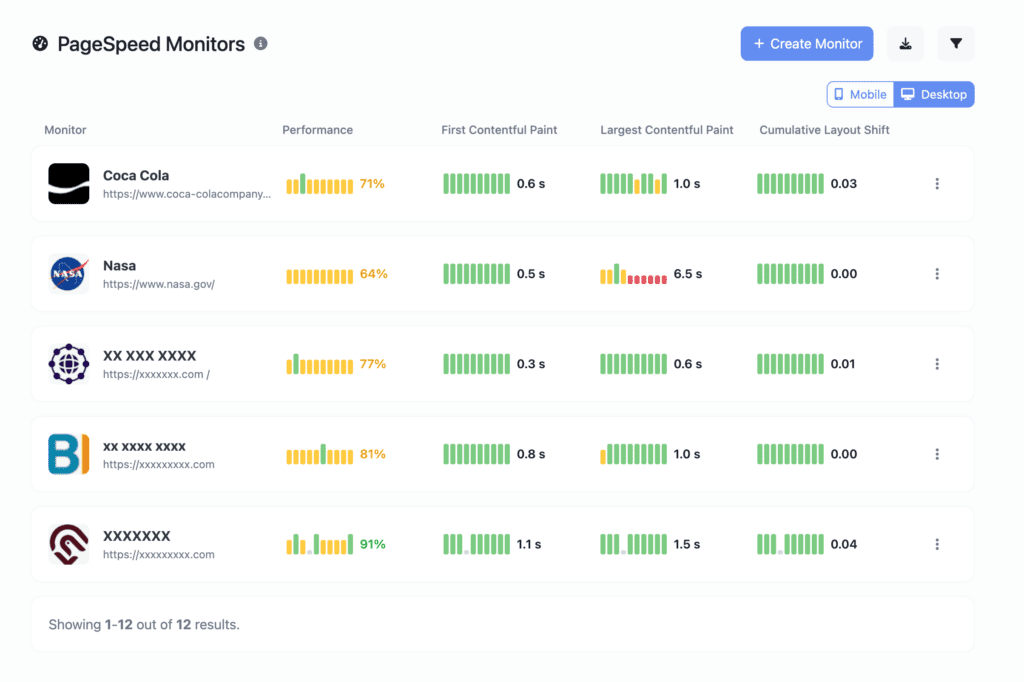
Response times, scheduled PageSpeed runs and Linux server resources over time.

94Mobile score
LCP 1.8 s
CPU42%
Memory61%
Disk84%
PageSpeed monitoring →
04 · Domain health

Avoid surprise expiries and DNS changes

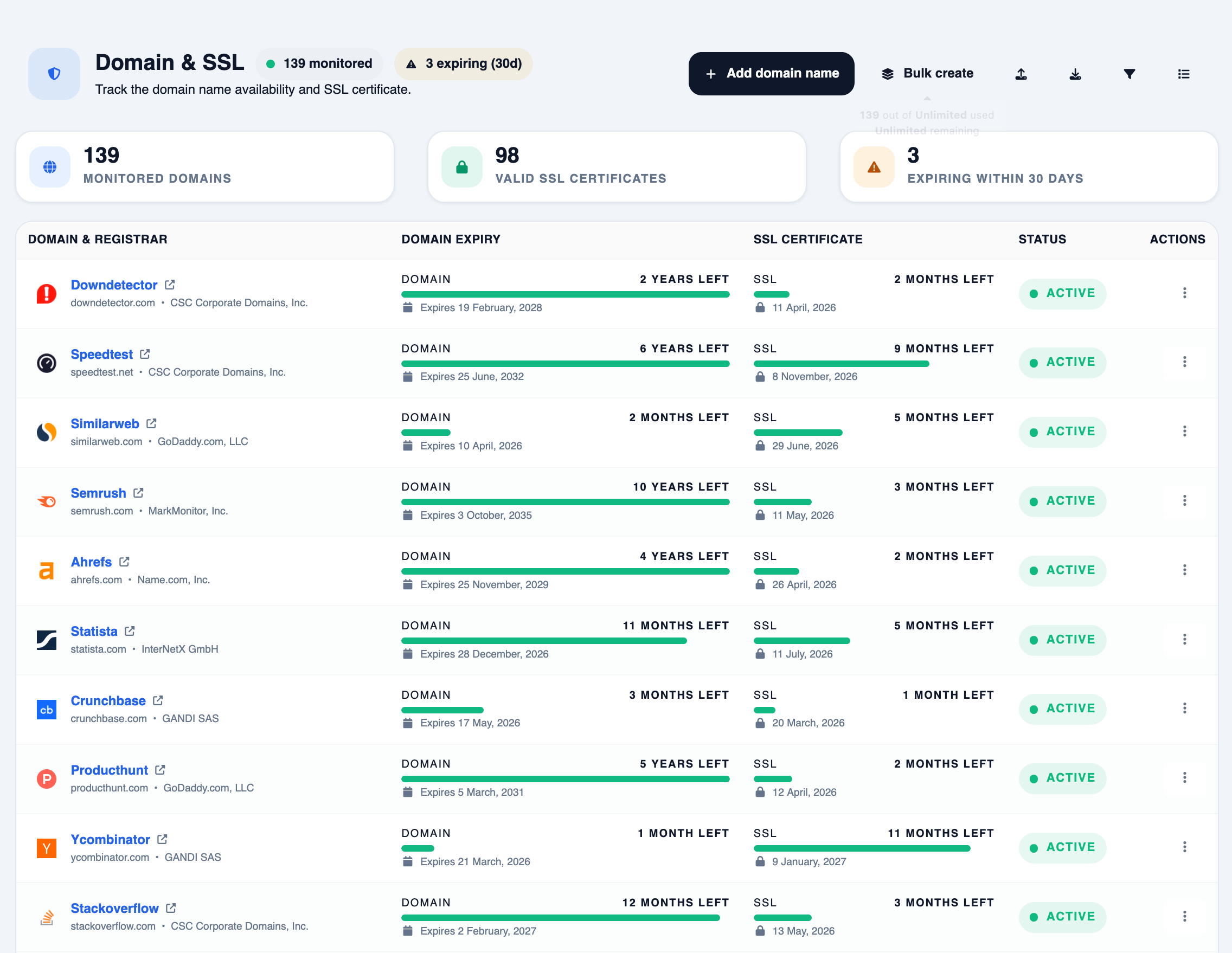
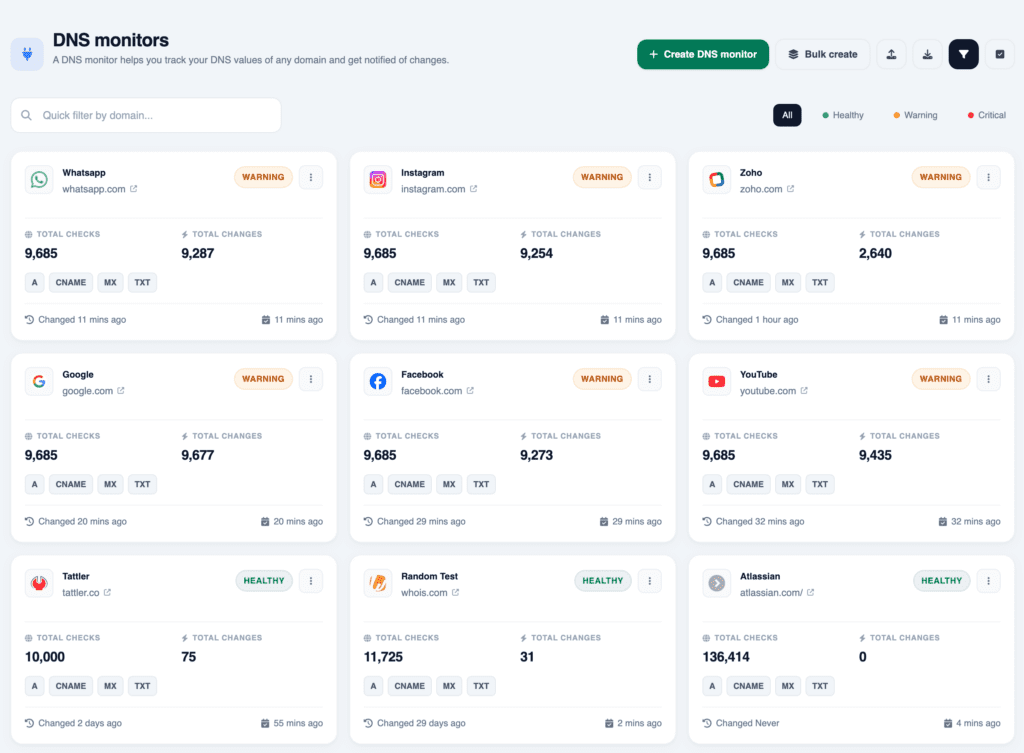
Reminders before domains and SSL certificates expire, plus a history of DNS record changes.

23 daysuntil SSL renewal · domain renews in 214 days
MX example.comChanged 16 Oct
Domain & SSL monitoring →
05 · AI insights

Ask what the data is telling you

AI insights read the monitoring and analytics data already in your account, then explain it in plain language with the evidence used, a confidence level and suggested next checks. You run them when you want a second look, on plans that include AI insights.

  • Incidents and monitors: results by location, status codes and response times. Server resources and DNS changes are added when you monitor them too.
  • Traffic trends: this period against the last, including top pages, referrers and goal conversions.
  • DNS, servers and heartbeats: what changed, what looks unusual and what to check next.
AI insights →
AIIncident analysis · api.example.com
Summary
HTTP 503 from all three check locations for 2 minutes. example.com stayed up.
Evidence
Linked server reached 92% CPU in the same window. No DNS changes recorded.
Probable cause
Application overload · medium confidence
Next checks
Application logs for 10:01–10:03 UTC; request volume to /api.
Sample output. AI insights suggest likely causes; they don’t make changes to your systems.
Why one workspace

Problems rarely stay in one report.

A slower week can show up in speed scores, server load and signups at the same time. Here’s how a small team might look into it without switching between separate tools.

  1. 1Notice

    Mobile speed drops

    A scheduled PageSpeed run shows mobile LCP up from 1.8 s to 3.4 s.

    Performance
  2. 2Check

    Front end or server?

    Response-time history and server resources show whether the slowdown starts on the server.

    Performance
  3. 3Look

    Did visitors notice?

    Compare mobile sessions and signup conversions for the same week, then watch a few replays on /pricing.

    Visitors
  4. 4Decide

    Pick what to fix

    You decide where to start. Ask AI insights to summarise the traffic trend if a second view helps.

    AI insights
  5. 5Share

    Keep people informed

    If availability was affected, post an update on your status page.

    Availability

Bryzora keeps these reports side by side. Deciding what’s connected stays with you.

One account, one set of alerts

Monitors, analytics websites and audits live in the same account and use the same notification channels.

Less tool-switching

Move from an incident to performance history to visitor behavior without another login or export.

Explanations from your own data

AI insights work from the checks and analytics already collected, not generic advice.

How it works

Set up in three steps. Add more as you grow.

Uptime, SSL, domain and DNS checks run from Bryzora’s side. Analytics, server monitoring and heartbeats each need a small setup on yours.

  1. 01

    Add your website

    Add your site and the resources behind it: API endpoints, domains, servers and scheduled jobs.

    URLhttps://example.com
    APIhttps://api.example.com/health
  2. 02

    Turn on what you need

    Choose the checks and tracking that fit your site.

    • Uptime, SSL, domain, DNSNothing to install
    • Visitor analyticsAdd a tracking script
    • Linux serversInstall the server agent
    • Cron jobsCall a heartbeat URL
  3. 03

    Review and respond

    Get alerts in your channels, review incidents and reports, and ask for an AI explanation when you want a second look.

    Slack logoSlackEmailStatus pagesAI insights
Inside Bryzora

The workspace, as it is.

The dashboard gathers monitors, domains, SSL certificates, servers, heartbeats and status pages, with incident trends across your account.

  • Plan usage and remaining capacity at a glance
  • Upcoming domain and SSL expiries
  • Heartbeat uptime and server resource alerts
  • Analytics and SEO audits in the same sidebar
Bryzora dashboard showing plan usage, monitors, domains and SSL, status pages, servers, health checks, projects, DNS monitors and a 30-day incident trend
The Bryzora dashboard: monitors, domains and SSL, status pages and incidents at a glance.
Alerts

Know before your customers do.

When a check fails, Bryzora tells the people who respond, then again when it recovers. Pick a channel to preview.

Slack alertSolo plan and above
Slack logo
Bryzora
API unavailable · api.example.com/health returned HTTP 503 from 3 locations.
● Down · incident opened
Slack logo
Bryzora
api.example.com/health is responding normally again.
● Recovered · down for 2 min

Create an incoming webhook in Slack, add its URL to a Slack handler and assign it to a monitor.

Pricing

Start free. Grow when you need to.

Monthly plans in USD. Every plan includes uptime monitoring, analytics and status pages; higher plans add capacity, servers and team access.

Explorer includes more uptime monitors than Solo (25 vs 15). Solo adds unlimited analytics, server monitoring, chat alerts and longer data retention.

FAQ

Before you get started.

Still curious? Talk to us

What does “website intelligence” mean?

It means looking after the whole website, not only whether it responds. Bryzora covers availability, performance, visitor behavior and domain health in one account, with AI-assisted explanations when you want them.

Do I need to install anything?

Not for uptime, SSL, domain or DNS checks; they run from Bryzora’s infrastructure. Visitor analytics needs a tracking script on your site, server monitoring needs an agent on each Linux server, and cron job monitoring needs your job to call a heartbeat URL.

How do AI insights work?

You run an analysis from an incident, a monitor or an analytics report. Bryzora sends the relevant data from your account and returns a summary, the evidence used, a confidence level and suggested next checks. AI insights are available on plans that include them, and they never make changes to your systems.

Is the analytics privacy-friendly?

You choose the tracking depth per website. Lightweight tracking stores nothing on the visitor’s device. Full tracking adds sessions, heatmaps and optional replays. Visitor IP addresses are masked unless you turn on IP storage, and you can exclude your own IPs.

Can I share a status page with customers?

Yes. Create public or private status pages with availability history. Custom domains and password protection are available on paid plans.

Where can I compare plans?

Visit the pricing page for each plan’s monitors, analytics, alert channels, team access and data retention.

Understand your website. Stay ahead of problems.

Your website, understood.

Start free with 25 uptime monitors and one analytics website, then add the signals you need.